


Thermometer Room Temperature
4.1619.00 Reviews
App Specs
- Version
- 3.26.103
- Updated On
- License
- Free
- Downloads
- 1,000,000+
- Developer
- Morsol Technology
- Categories
- Weather
- Platform
- Android, iOS
Screenshots
 Analysis by AppCompare
I usually notice indoor temperature when something feels wrong: the bedroom is stuffy, a plant looks unhappy, or I wake up wondering why the room feels colder than it did the night before. That is the small problem Thermometer Room Temperature is meant to help with. It is a weather app from Morsol Technology, and its appeal is less about turning a phone into scientific equipment than giving you a quick reference when you want to check the room.
The first-week appeal: quick checks, low effort
In the first few days, an app like this can feel surprisingly handy because it makes a familiar question easy to answer. I can open it while getting dressed, check whether a room seems warmer or cooler than expected, and decide whether to open a window or adjust the heating. That convenience is the strongest reason to try it: there is no separate device to find before taking a quick look.
The key is to treat the number as an estimate rather than a laboratory reading. A phone is not a dedicated room sensor, and its temperature can be affected by where it has been resting, how recently it was used, and heat from the device itself. For a more useful check, I would leave the phone in the room for a while, keep it away from direct sunlight and warm electronics, and compare readings taken in similar conditions. That makes the result more meaningful than checking immediately after pulling the phone from a pocket.
This distinction matters in everyday decisions. A rough reading can help me decide whether a room deserves attention, but I would not use it to make a safety-critical call or to verify a strict temperature requirement. If a baby, pet, medication, or temperature-sensitive item needs dependable monitoring, a purpose-built thermometer is the better tool. A phone-based reading is most useful as a prompt to investigate, not as a guarantee.
Month-to-month value: useful when it supports a routine
The app’s staying power depends on whether indoor conditions are something I check more than once out of curiosity. It can earn a place on a phone for someone who regularly moves between rooms, works from home, or wants a quick sense of whether a space is becoming uncomfortable. It is less compelling if you only want to know the outdoor forecast; a standard weather app is the more direct choice for that job.
A practical routine is to check at the same point in the day and in the same part of the room, especially if you are trying to understand a recurring comfort issue. For example, a reading before work and another after the afternoon sun reaches a window can help you notice a pattern. The phone is not automatically a reliable logger just because it displays a temperature, so I would keep simple notes if a trend matters rather than assume the app will preserve a useful history.
That makes the app a modest tool for observation, not a complete home-climate system. It can help you decide when to ventilate, whether a room seems different from the rest of the home, or whether it is worth checking a separate thermometer. It cannot replace a thermostat that controls heating, or a dedicated sensor that stays in one place and monitors conditions continuously. Those alternatives cost more effort or money, but they suit recurring monitoring better.
Worth Reading Before You Choose

Baby Panda World Brings Quick Play to Modern Phones, but Its Game Library Feels Busy

ESPN’s Live Game View Makes Following Close Games Easier

QuizzLand Review: A Good Fit for Short Trivia Breaks, Not Every Player

Basketball Stars: Multiplayer Is Fast, but Can It Recover When Matches Go Wrong?

WEBTOON Turns Phone Updates Into a Better Reading Routine

Link to Windows Runs on Shared Habits, Not Social Feeds
Maintenance without much ceremony
There is little routine upkeep in the usual sense: you do not have to place a separate sensor, keep it charged, or remember where you left it. That is a real convenience, particularly for occasional checks. The trade-off is that the phone itself becomes part of the measurement. If it has just been charging, sitting in direct sun, or running demanding tasks, I would wait before trusting a reading as representative of the room.
Keeping expectations realistic is the main maintenance task. Check the app in a consistent location, avoid handling the phone right before a reading, and use another thermometer if the result will affect an important decision. If the readings seem implausible, moving the phone to a different spot and allowing it time to settle is a better first step than repeatedly refreshing it in the same conditions.
Where the novelty can wear off
The first-week curiosity may fade if the app does not answer a recurring question. A single temperature number cannot explain why a room feels uncomfortable: humidity, airflow, sunlight, insulation, and personal comfort all matter. The app’s humidity reading may add context, but I would still avoid treating one figure as a full account of indoor air quality. If you need a detailed picture of your home, a dedicated indoor monitor is more suitable.
There is also a practical limit to using a phone as a room instrument: you may not want to leave your everyday device in a particular room just to take repeated readings. If you need continuous monitoring, an inexpensive standalone thermometer can be easier to position and check at a glance. If you only need occasional reassurance, though, opening an app you already have is likely less trouble than buying and maintaining another gadget.
The choice is therefore less about which option is universally best and more about how often you need dependable information. For an occasional estimate, this app keeps the process simple. For comparing rooms over time, recording a trend, or making decisions where accuracy matters, a fixed sensor or a traditional thermometer is the more sensible reference. I would use the app to spot a question, then reach for a dedicated instrument when the answer needs to be precise.
Getting Started with Thermometer Room Temperature
Installing the Thermometer Room Temperature app was a breeze. It’s available on both Android and iOS, so no matter what device you're using, you’re covered. Just a quick download, and you're ready to go. You don’t even need to create an account! It’s as simple as opening the app and letting it do its magic.
User Interface and Experience
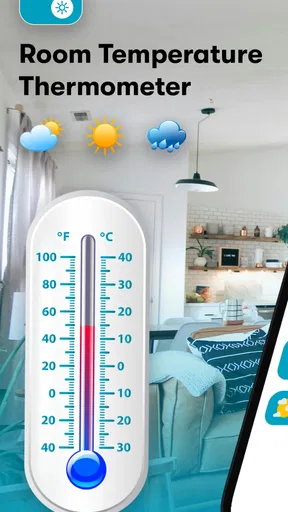
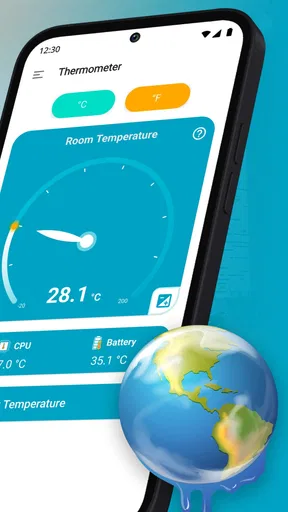
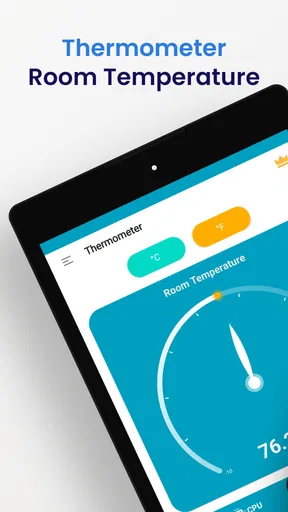
The first thing I noticed was the clean and straightforward interface. It's got this minimalist design that makes it easy to read and understand. No clutter, just clear numerical readouts of the current room temperature. The app uses your phone’s sensors to determine the ambient temperature, so you don’t need any additional hardware.
I appreciate how user-friendly it is. Everything is laid out in a way that even a tech novice can navigate with ease. Just open the app, and you’re greeted with a big, bold temperature reading. It’s that simple. Plus, there are some helpful icons and tooltips that guide you if you get stuck.
Features Galore
Now, you might think a thermometer app would be pretty basic, right? But this one packs in a few extra features that are worth mentioning. First off, it supports both Celsius and Fahrenheit, so you can choose whichever suits your preference. Just a quick tap in the settings, and you can switch back and forth.
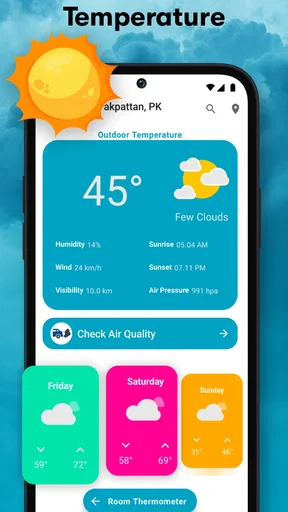
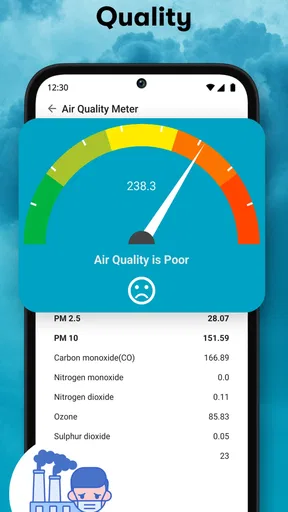
Another cool feature is the built-in humidity sensor. It gives you a readout of the current humidity level in your room, which can be super helpful for anyone trying to maintain a comfortable living environment. Whether you’re adjusting your humidifier or just curious about the air quality, this feature has got you covered.
Accuracy and Performance
Let’s talk accuracy. Of course, since the app relies on your phone’s sensors, it might not be as precise as a dedicated thermometer. But in my experience, it’s been pretty spot-on. I compared it with a traditional thermometer, and the readings were surprisingly close. It’s perfect for getting a quick idea of your room’s temperature without any hassle.
Performance-wise, the app runs smoothly without any hiccups. It doesn’t drain the battery, which was a concern of mine before trying it out. It’s lightweight and doesn’t bog down your phone’s resources, which is always a plus in my book.
Why You Might Love It
So, why should you consider downloading the app? Well, if you’re someone who likes to keep track of your indoor climate without investing in expensive gadgets, this app is a fantastic solution. It’s perfect for those who just need a quick and easy way to check the temperature and humidity at home.
Plus, it’s handy for a bunch of situations. Whether you’re trying to ensure your newborn’s room is just right, or you’re a plant parent needing to monitor the environment for your leafy friends, this app is a great tool to have in your digital arsenal.
Wrapping It Up
In conclusion, the app is a simple yet effective tool that delivers exactly what it promises. It's user-friendly, accurate enough for everyday use, and doesn’t try to overcomplicate things. Whether you’re a tech enthusiast or just someone who likes to know what’s going on in their environment, it is definitely worth a try.
As a free app rated for Everyone, it is easy to test without committing to a purchase, though in-app purchases are listed from $2.49 to $14.99 per item. It has a 4.1 average from around 13 thousand ratings and more than a million installs, which suggests plenty of people have tried it, but those figures do not change the main question: does a quick estimate solve a problem you actually have? Morsol Technology’s app is on version 3.26.103, and it runs on Android 6.0 or later. I would keep it if those occasional indoor checks become part of my routine, not simply because its first reading is interesting.
So, if you’re curious about the temperature in your room right now, why not give it a shot? You might find it surprisingly useful, just like I did. Happy temperature tracking!
Pros
- Accurate temperature readings.
- User-friendly interface.
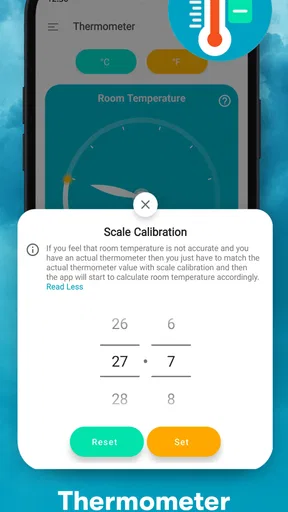
- Quick setup and calibration.
- Minimal battery consumption.
- No intrusive ads.
Cons
- Limited to internal sensors.
- Requires internet for updates.
- Ads in free version.
- No humidity measurement.
- Limited customer support.
FAQs for Thermometer Room Temperature
What is the primary function of the Thermometer Room Temperature app?
The Thermometer Room Temperature app is designed to measure and display the current temperature of your environment. It utilizes your device’s built-in sensors to provide accurate readings of the ambient temperature, helping users stay informed about their surroundings for comfort or health purposes.
Does the Thermometer Room Temperature app require an internet connection to function?
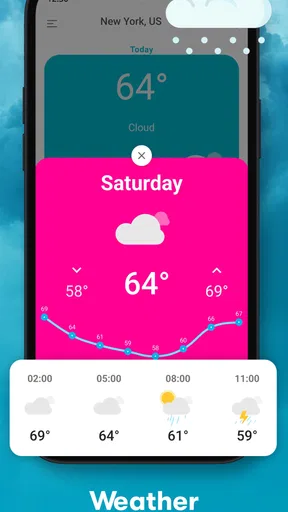
No, the app does not require an internet connection to measure room temperature. It uses the device's built-in sensors to gather data. However, an internet connection may be necessary for additional features like weather forecasts or updates within the app.
How accurate is the room temperature reading provided by the app?
The accuracy of the Thermometer Room Temperature app depends largely on the quality and sensitivity of your device's sensors. While it provides a general estimate, external factors such as device heating and protective casings can affect readings. For precise measurements, dedicated thermometers may be more reliable.
Is the Thermometer Room Temperature app available for both Android and iOS devices?
Yes, the Thermometer Room Temperature app is available for download on both Android and iOS platforms. Users can find it on the Google Play Store and the Apple App Store, ensuring compatibility with a wide range of smartphones and tablets.
Are there any in-app purchases or advertisements in the Thermometer Room Temperature app?
The app is free to download, but it may include advertisements to support its development. Some features or an ad-free experience might require in-app purchases. Users should review the app’s description and permissions before downloading to understand any additional costs or data usage.


